


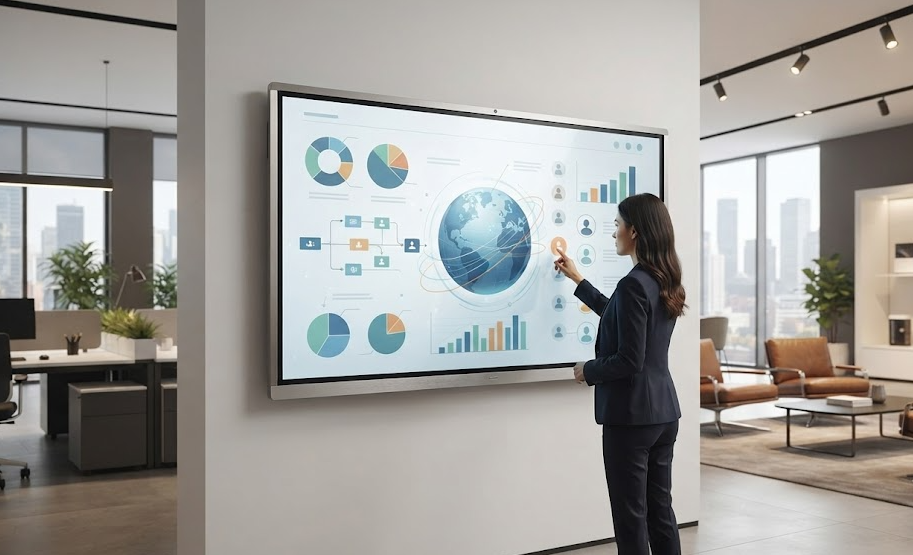
Smart Digital Touch Display Solutions for Modern Workspaces and Classrooms
The touch screen display enables users to communicate directly with data, presentations, and applications through basic touch commands. Users can navigate files, take notes, or access data by touching the screen rather than just watching it.
Saipur offers efficient touch screen displays for use in schools, colleges, offices, retail shops, hospitals, hotels, and showrooms. The displays are meant to promote effective communication and ensure easy interactions.
What Is a Digital Touch Display?
A digital touch display is an interactive screen that registers physical touch commands. Depending on where it is installed, it handles presentations, digital learning, product displays, customer information, meetings, and self-service tasks.
In classrooms and boardrooms, an interactive touch display replaces standard whiteboards and projectors. Users can write, draw, open documents, and explain ideas directly on the glass surface.
In commercial spaces, this same technology functions as an information point or a touch screen kiosk, letting visitors find details independently without requiring constant staff assistance.
Key Features of Touch Display Solutions
Touch displays come in different configurations to suit specific environments and requirements.
An LCD touch display offers clear visuals and fits standard offices, classrooms, and retail counters. An LED touch display provides bright, detailed imagery suited for larger commercial areas.
A capacitive touch display offers responsive touch tracking for smooth multi-touch operation. Organizations can also choose a smart touch display that includes built-in computing and network connectivity.
For teaching environments and meeting rooms, an interactive whiteboard offers a reliable platform for notes, presentations, and team collaboration.
Applications of Digital Touch Displays
The flexibility of touch technology allows organizations to use these screens across multiple sectors:
- Education: Interactive lessons, student collaboration, and digital learning.
- Corporate Offices: Team meetings, brainstorming sessions, and presentations.
- Retail: Product catalogues, store promotions, and customer assistance.
- Healthcare: Patient check-in, directory boards, and way finding.
- Hospitality: Guest services, digital menus, and lobby information.
- Public Spaces: Interactive guides and self-service terminals.
Choosing the right screen size and setup depends on room lighting, viewing distance, number of users, and the type of media displayed.
Why Choose Saipur?
Investing in professional display technology requires a reliable hardware partner. Saipur tailors its offerings to match specific institutional needs rather than using a generic setup.
As a touch screen manufacturer in India, Saipur provides display solutions for organizations with specific requirements, Saipur focuses on practical display builds. The company also works with businesses looking for a touch screen supplier in India and a dependable display partner for commercial projects.
Whether you need an interactive screen for a classroom, a customer-facing unit for a retail store, or a touch screen kiosk for public use, each unit is configured to match your operational goals. Saipur also works with businesses looking for touch screen traders, dealers, and exporters in India.
How to Choose the Correct Touch Screen?
When choosing a digital touch screen, examine its size, touch accuracy, resolution, operating system, connection ports, and mountings. A touch screen that works perfectly on a retail floor in a bright store will have a completely different set of characteristics from the one to be mounted on a conference room wall.
It would also be wise to think about installation possibilities, software compatibility, and support after purchasing.
Frequently Asked Questions
- How is a digital touch screen utilized?
A digital touch screen can be applied in presentations, classroom teaching, digital signage, product browsing, customer services, meetings, and self-service.
- What is the distinction between the LCD and LED touch screens?
They both offer full touch capabilities, but they use different display panels. It all comes down to requirements such as brightness, budget, and operating environment.
- Is a digital touch screen appropriate for educational institutions?
Definitely. It allows digital teaching and learning, interactive classes, and even drawing.
- Can touch screens be applied for self-service? Absolutely.
By configuring a touch screen kiosk, people will be able to navigate by themselves through direction searching, filling out forms, and choosing services.
- How do I choose the right touch display?
Evaluate the screen dimensions, touch precision, resolution, software requirements, physical installation space, and the typical users who will operate the system.
Follow us on: Instagram

